
The Efficiency Revolution: Why Z-Image Turbo is Decisively Outperforming Flux 2 Dev in Professional AI Image Generation
The world of AI image creation is moving incredibly fast. Recently, we’ve seen a wave of new models released, including tools for S3 segmentation, SA 3D body generation, and the highly anticipated Flux 2 Dev model, which adds image editing to its features [1]. But amidst this crowd, one specific model, the Z-Image Turbo generator from the Alibaba group, has emerged with a bold claim: it can surpass all previously known models, including Flux 1, Flux 2, and Quen Image [1].
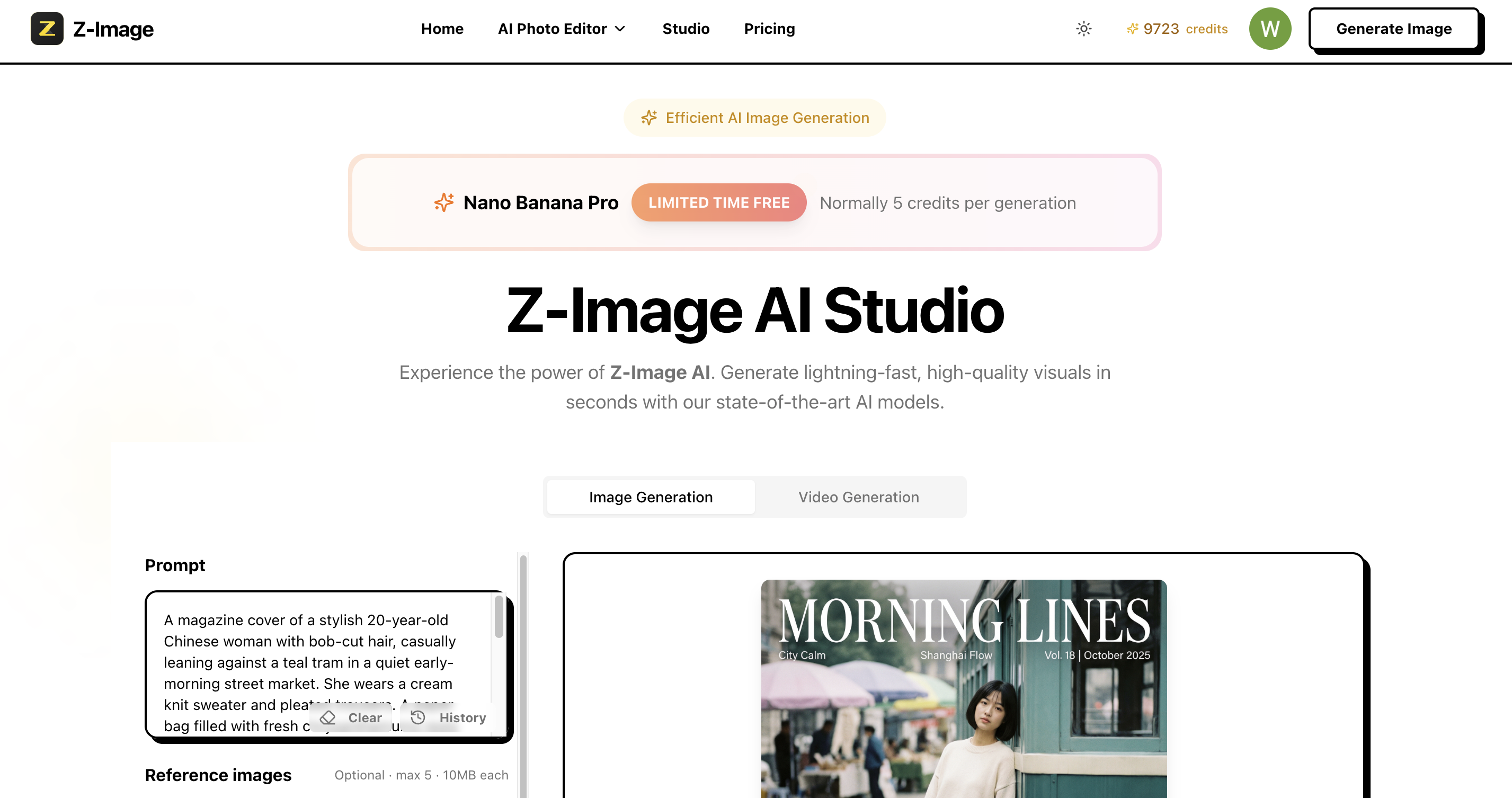
This guide will dive deep into why the Z-Image Turbo model isn’t just another competitor but a fundamental shift towards efficiency and high quality. We will objectively compare the Z-Image Turbo model against high-resource contenders like Flux 2 Dev, focusing on speed, hardware accessibility, and output fidelity. Understanding these differences is key for any creator or business looking to streamline their AI workflow and get the best results without complex, heavy systems.
The Architectural Edge: Why Z-Image Turbo is Faster
The remarkable speed and efficiency of the Z-Image Turbo generator are not accidental; they are built directly into its design. While many newer models boast massive sizes, the Z-Image Turbo model was trained using only six billion parameters [1]. This relatively low parameter count gives the Z-Image Turbo model a distinct advantage in terms of lightweight architecture compared to other models that have higher parameter counts, like Flux 1 or Flux 2 [2].
The Z-Image Turbo model uses a scalable single stream DIT architecture. This type of architecture is complex, but the simple idea is that it helps manage the text, visual information, and image data together efficiently, leading to faster and better results [3].
The current version released is the Z-Image Turbo version, which is specifically designed for quick, high-quality image generation [4]. This “Turbo” designation means that the Z-Image Turbo generator can meet or exceed the quality of competing models while requiring far fewer steps during the generation process, often needing only eight functional evaluations [4]. This capability is why the Z-Image Turbo model can offer a second inference latency, meaning images are generated in just a few seconds [4].
Performance Breakdown: Z-Image Turbo vs. Flux 2 Dev
When choosing an AI model for professional use, the time it takes to generate a high-quality image translates directly into cost and productivity. This is where the Z-Image Turbo model truly distances itself from models like Flux 2 Dev.
1. The Critical Speed Difference
Tests comparing the two models show a dramatic disparity in speed.
- Flux 2 Dev Speed: Testing on the Flux 2 Dev model revealed that generating just one image could take around 14 minutes [5].
- Z-Image Turbo Speed: In the same amount of time—14 minutes—an operator using the Z-Image Turbo generator was able to generate all images from a series of different prompt lists [5].
This difference is enabled by the low-step requirement of the Z-Image Turbo model. The recommended configuration for the BF16 version of Z-Image Turbo is six steps, and for the FP8 version of Z-Image Turbo, eight steps are recommended [6, 7]. The low CFG (Classifier-Free Guidance) value is set to one [7]. This low CFG value, paired with low steps, allows the Z-Image Turbo generator to reduce the time it takes to generate an image significantly [7].
For a practical example, generating a 1024 x 1024 image using the FP8 version of the Z-Image Turbo model takes only about six seconds [8]. If you have higher-end hardware, like a 4090 GPU, you can scale up to a larger 1536 x 1536 resolution, which takes approximately 16 seconds using the Z-Image Turbo model [9].
The efficiency of the Z-Image Turbo model is evident: it achieves high-quality output while dramatically reducing the generation time compared to the Flux 2 Dev model [5].
2. Hardware and Resource Accessibility
Another major advantage of the Z-Image Turbo model is its compatibility with standard consumer GPUs.
Unlike Flux 2 Dev, which has a “very high weight for both text encoders and the model” [5], the Z-Image Turbo model is lightweight and accessible:
- Low VRAM Friendly: The Z-Image Turbo model works well with consumer GPUs. For instance, the BF16 version of the Z-Image Turbo model ran successfully on a machine with just 6 GB of VRAM (RTX 3060) [10].
- FP8 Option: For systems with VRAM requirements of 12 GB or less, the FP8 version of the Z-Image Turbo model is available [8].
This low VRAM requirement means that more creators can access and use the powerful Z-Image Turbo model without investing in expensive, specialized hardware. The model can also be tested using the GGF version (like the Q8 version), which only weighs 7 GB [10, 11]. When setting up the model in ComfyUI, the VAE needed is the Flux 1 VAE [12, 13].
Quality and Trust: The Z-Image Turbo Difference
Speed is only half the story; the output quality must also be reliable. The Z-Image Turbo generator demonstrates strong capabilities in areas where previous models struggled.
Photo-Realistic Excellence
The Z-Image Turbo model excels at generating photo-realistic images [4]. In particular, its performance in generating portraits is “far beyond those models” like Flux and Flux Assio [14]. The model is highly accurate in capturing realistic details such as skin texture, colors, and complex light reflections, making the images look very close to the real world [14]. This impressive realism is evident in various subjects, including animals, where the fur and skin textures are highly realistic [15].
Solving the Finger Problem
A notorious issue with early AI models was their inability to render human hands and fingers correctly. The Z-Image Turbo model has overcome this. Tests confirmed that the Z-Image Turbo generator creates consistent poses and accurate fingers, avoiding issues like crossed fingers or the generation of multiple fingers [5, 15].
Complex Prompt Understanding
The Z-Image Turbo model features a strong ability to adhere to instructions and includes reasoning capabilities, meaning it can understand and execute complex prompts that go beyond simple descriptions [3, 5].
Key prompt adherence features of the Z-Image Turbo model:
- Bilingual Text Rendering: The Z-Image Turbo model can reliably render text in both English and Chinese at the same time, showing impressive text understanding [4, 16].
- Advanced Control (JSON): The Z-Image Turbo generator even supports JSON prompting, which is a method that gives the user granular control over every tiny detail of the image, such as colors and lighting [3].
The official documentation for Z-Image Turbo suggests using long, detailed prompts, or even using a language model (LLM) to “pad” or expand your prompts, as this results in better image quality [17, 18].
Direct Showdown: Z-Image Turbo vs. Flux 2 Dev
Real-world tests provide the clearest evidence of the Z-Image Turbo model’s superiority.
Case 1: The Chaotic F1 Scene
- Prompt: A complex scene with motion blur, depth of field, many faces, and smoke (like an F1 race) [19].
- Result (Z-Image Turbo): The Z-Image Turbo model successfully “nails the realism,” accurately capturing the spectators’ direction, the smoke off the tires, and the overall aesthetic sharpness [19].
Case 2: Prompt Adherence (Car Expo Banner)
- Prompt: A car expo banner testing text placement, indoor lighting, and glossy surfaces [19].
- Result (Z-Image Turbo): The Z-Image Turbo generator stuck perfectly to the brief, delivering the track-ready race car as requested [18].
- Result (Flux 2 Dev): The Flux 2 Dev model “went creative,” adding unwanted elements like a spoiler and extra text on the banner, failing to strictly follow the input instructions [18].
In these practical tests, the Z-Image Turbo model showed higher accuracy and adherence to the prompt, which is essential for professional consistency. Based on these comparisons, some experts have concluded that the Z-Image Turbo generator effectively “killed the Flux 2 Dev model in every type of way” [2].
Practical Deployment and Commercial Use of Z-Image Turbo
For creators and businesses, the practicality of a model goes beyond its technical output. The Z-Image Turbo model offers distinct advantages here:
Commercial Viability (Apache 2.0 License)
The Z-Image Turbo model is released under the Apache 2.0 license [19]. This open license means you can use the Z-Image Turbo model commercially without the complex legal hurdles or restrictions [19].
Unbeatable Cost Efficiency and Limited-Time Free Access
The Z-Image Turbo model is not only powerful but also incredibly cost-effective, offering one of the best price-to-performance ratios on the market.
- Lower Costs: The efficiency of the Z-Image Turbo model leads to remarkably low generation costs. For instance, using a serverless application setup, you can generate about 6,650 images per month for approximately $33 [20].
- Limited Free Access: Currently, users can test and utilize the speed of the Z-Image Turbo model completely free through methods like Google Colab, a hosted service that provides free access to computing resources [21], or by using platforms like Modal, which offers $30 of free credits each month for running the serverless app [18]. These free options make high-speed AI image generation available to everyone, even if it is only for a limited period.
Summary: Z-Image Turbo is the Definitive Choice
The arrival of the Z-Image Turbo generator marks a definitive moment in AI image creation. It successfully tackles the limitations of previous high-weight models like Flux 2 Dev by prioritizing efficiency, speed, and accuracy [5].
The Z-Image Turbo generator’s low-parameter, low-step architecture ensures that high-quality, photo-realistic output is achieved in seconds, not minutes, and is accessible on widely available consumer GPUs [4, 8]. The robustness of the Z-Image Turbo generator in handling complex details—such as accurate fingers, proper light reflection, and sticking strictly to detailed prompts—further establishes its position as a superior tool for professionals [5, 15].
While Flux 2 Dev gained attention for image editing, the current Turbo model already stands alone as the top choice for practical, professional image generation. The developers are confident that a future Z-Image Turbo Edit version will be the final piece required to make the model a complete “flux killer” [2].
For professionals who value their time, require photo-realistic consistency, and need a commercially viable tool that runs smoothly on standard hardware, the Z-Image Turbo generator is the clear choice.
To put this Expertise to the test and experience the speed and quality difference firsthand, start generating images with the Z-Image Turbo model today. You can explore the powerful, highly efficient Z-Image Turbo generator and begin your journey toward faster, better results by visiting https://z-image.ink. The Z-Image Turbo model ensures you get the highest quality results, using the least amount of resources.
David
Founder of Z-Image. Passionate about AI and technology. Exploring the boundaries of generative models and sharing insights with the community.